How high should you mount a security camera?

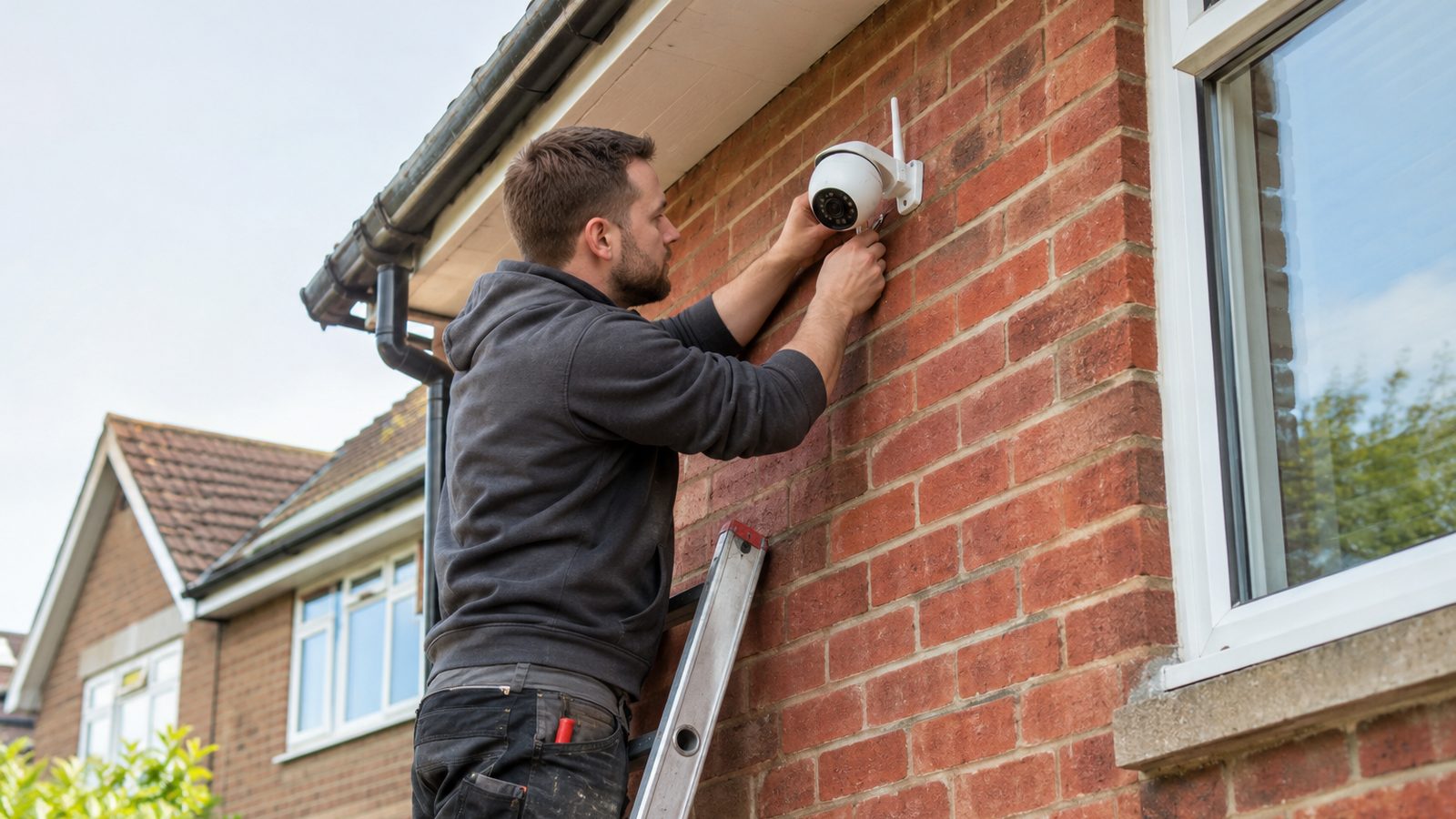
AI-generated illustration
Most home CCTV problems are not caused by the camera. They are caused by where it is mounted. I have seen plenty of expensive cameras fitted so high that all they record is the top of a burglar’s hood. Here is how to get the height and angle right first time.
The short answer
- Most home security cameras: 2.5 to 3 metres off the ground (roughly 8 to 10 feet).
- Video doorbells: about 1.2 to 1.5 metres (4 to 5 feet) — usually the height the manufacturer’s bracket is designed for.
- Floodlight cameras: around 2.5 to 3 metres, so the light covers the area and the camera is out of easy reach.
- Angle the camera slightly down, so the top of the picture shows a little above head height and the bottom shows the ground in front of it.
Why too high is a problem
Above about 3.5 metres you start looking straight down on people. From that angle, all you record is the top of a head, a hood or a cap — not a face. Faces are what the police need to identify anyone, and footage without a clear face is often useless.
Motion detection suffers too. Most cameras use a PIR sensor that works best across its field of view. Mounted very high, people look smaller and the detection zone covers a lot of ground at a distance rather than the area you actually care about. You end up with missed events close to the camera and constant false alerts from movement far away.
Why too low is a problem
Below about 2 metres, anyone can reach the camera to knock it sideways, cover the lens, or pull it off the wall entirely. Battery cameras mounted low can simply be taken. Cameras this close to the ground also get blocked by everyday things: a parked van, a wheelie bin, a thick hedge in summer.
The face test
Before you drill, do this. Hold the camera — or your phone — at the spot you are planning to mount it, and open the camera’s live view or your phone’s camera. Ask someone to walk towards the door at a normal pace.
If you can see their face clearly for a couple of seconds as they approach, the height and angle are right. If you can only see the top of their head, go lower or reduce the downward angle. It is much easier to fix this before you drill.
Get the angle right
Point across the path, not straight down it. The PIR motion sensors on most battery cameras detect movement across their field of view far better than someone walking directly towards them. Mounting on a corner or a side wall, so people walk across the frame, gives you better detection and clearer footage.
Keep the sky out of the picture. A bright sky makes everything below it look dark. Tilt the camera just far enough down that the top of the image shows rooflines, treetops or walls — not open sky.
Avoid pointing into the rising or setting sun. A west-facing camera in the afternoon is effectively blinded. The same applies to any light source directly in frame at night.
Keep neighbours’ gardens and windows out of shot. Most cameras let you draw privacy masks in the app to black out specific zones. Use them. It is good practice and it is part of your legal responsibilities — see our guide to UK CCTV laws for homeowners.
Night vision mistakes
Do not mount tight under the eaves or close to a soffit, gutter or wall. The infrared lights on most cameras illuminate the scene invisibly, but if there is a surface very close to the lens — a white fascia board, a painted wall, the underside of a gutter — the IR bounces straight back into the lens and washes out the whole picture. You end up with a white haze instead of a clear image. Pull the camera a few centimetres clear of any nearby surface and the problem usually disappears.
Keep spiders’ webs and ivy away from the lens. A web stretching across the front of the camera looks like a bright white blur at night and will trigger motion alerts all through the night. Check the lens every month or so when it has been warm.
Never point an indoor camera out through a window at night. The infrared bounces off the glass in exactly the same way. If you want a camera looking out through a window, you need a camera without infrared lights and enough external lighting to give it a picture — see window security cameras: do they actually work?.
Check the Wi-Fi before you drill
Before committing to a mount point for a wireless camera, take your phone to that exact spot and check the Wi-Fi signal. Most cameras use 2.4GHz Wi-Fi, and a weak signal at the mounting point is the most common reason cameras drop offline after a few weeks. If the signal is poor there, you need to either move the camera, add a Wi-Fi extender or mesh point closer to it, or consider a wired camera. For every common Wi-Fi problem and fix, see security camera won’t connect to Wi-Fi.
Solar and 4G cameras
If you are fitting a solar-powered camera, the solar panel needs several hours of direct daylight to keep the battery topped up. In the UK that usually means a south-facing wall or roof — west and east work, north rarely does, especially in winter. Many solar cameras let you mount the panel separately from the camera on a longer cable, which is useful when the ideal camera position is in shade.
For 4G cameras used in a shed, stable or away from the house, check the mobile signal at the exact mount point with your phone before committing. The signal that reaches the gate at the bottom of the drive may be very different from the signal in the corner of a brick outbuilding. See our 4G solar security cameras guide for more on placement and SIM selection.
Where to put your cameras
Height and angle only matter once you have chosen the right spot. For most homes the priority order is:
- Front door: the most important position. A doorbell or camera covering the approach, at face height.
- Driveway: covering the car and the route to the door from the street.
- Back garden gate or side passage: where most burglars actually get in, often out of sight of the street.
- Garage or shed doors: tools, bikes and equipment are common targets.
For a full guide to choosing positions across the whole property, see where should CCTV cameras go? and the best outdoor security cameras UK.
My quick checklist
- Mounted at 2.5 to 3 metres (doorbell at 1.2 to 1.5 metres)
- Angled slightly down, sky mostly out of the picture
- Face test passed — a face is clearly visible for 2+ seconds on approach
- Not tight against a wall, soffit or gutter
- No spider webs or vegetation near the lens
- Wi-Fi signal checked at the exact mount point
- Neighbours’ windows and gardens out of shot or masked
- Out of easy reach — no one can grab or redirect it from the ground
Common questions
How high should a CCTV camera be mounted?
Can a security camera be too high?
How high should a video doorbell be?
Should a security camera point down?
Why is my camera's night vision blurry?
Related guides

Where should CCTV cameras go on a semi-detached house?
Where to put CCTV on a UK home: front door, driveway, side passage and back garden, plus mounting height, angles, night vision and neighbours.

Home CCTV setup mistakes: why your cameras aren't working properly
The most common home camera setup mistakes, from Wi-Fi and 4G signal to battery drain and missed alerts, and how to fix each one.

Security camera won't connect to Wi-Fi? The 2.4GHz fix and other solutions
Why security cameras won't connect to Wi-Fi and how to fix it: 2.4GHz vs 5GHz, combined network names, weak signal and UK router settings.